You built something good in Claude. A prototype, a one-pager, a calculator, a dashboard with real numbers in it. It works in the artifact panel. Now someone who was not in that conversation needs to see it.
There are five routes people actually take. Each one is the right answer for something, and each one has a specific place it stops working.
1. Claude's built-in Publish button
One click, one URL, done. Anyone can open it without a Claude account. For "look at this thing I made" sent to a friend, stop here, this is the answer.
For work, the fine print starts to matter. The link is public — no password, no expiry, no access control at all — and public in the strong sense: those pages get crawled. We ran the search and wrote up what turns up in are Claude artifacts private. It also arrives dressed as Claude rather than as you, which is awkward when the work is billable. And there is nowhere for your reviewer to leave a note, so feedback comes back through some other channel, detached from the thing it is about.
Good for: quick public demos.
Stops working when: the artifact has a client name, real numbers, or anything unreleased in it.
2. Screenshots or a Loom
Drop a screenshot in Slack, or record a two-minute walkthrough. Zero setup, works everywhere, and for "here is what it looks like" it is genuinely fine.
It falls apart the moment the thing is interactive, which Claude artifacts usually are. Your reviewer cannot scroll the long version, cannot click the tab, cannot try the calculator with their own numbers. And feedback on a video is feedback with timestamps: "at about 1:10, that heading." You end up scheduling a call to do what a link would have done asynchronously.
Good for: showing one state, once.
Stops working when: they need to use it, not watch it.
3. A generic static host
Copy the artifact HTML, drag it onto Netlify Drop, Vercel or Tiiny, get a live URL. More durable than a screenshot and genuinely interactive. This is the standard developer answer and it is a good one.
What you take on is privacy and feedback, both. Most of these serve the file in plaintext with no access control unless you build auth yourself, which is absurd for a one-off share. And there is still no comment layer, so notes happen in a thread somewhere else. You have solved hosting, which was never the hard part.
Good for: a durable public URL you control.
Stops working when: the content is confidential, or you need specific notes back.
4. Ask Claude to publish it for you
Worth knowing this exists, because it removes the copy-paste step entirely. With the commentable connector installed, you stay in the chat and say:
Publish this as a commentable link.
Claude sends the HTML over and hands back a private URL. Ask for a revision later and Claude updates the same link, so nobody needs re-sending. Claude can also read the comments people leave, fix the page, and push the new version, all inside one conversation. The same connector works in ChatGPT and Gemini CLI; setup for those is in share HTML from ChatGPT.
5. A private link with comments on it
This is the same destination as option 4, reached by hand: paste the artifact HTML into commentable, get a private link. The page is end-to-end encrypted — it is encrypted in your browser and the decryption key rides in the fragment of the URL, after the #, which browsers never send to a server, so we cannot read your page. Whoever opens it can pin comments directly onto the artifact without creating an account.
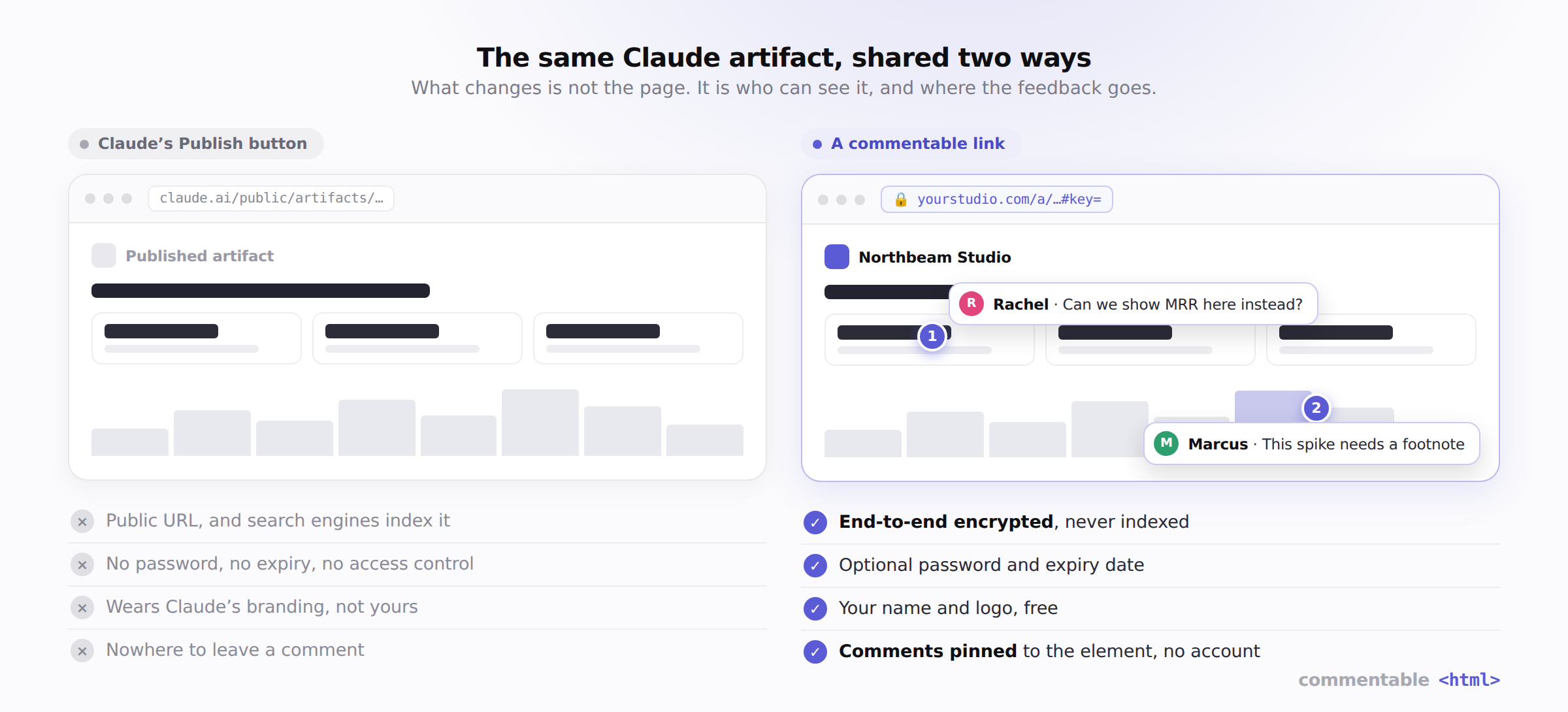
The pinned part matters more than it sounds. "This button should be blue," anchored on the button, does not get lost forty messages up a Slack thread, and does not need a screenshot to explain itself. You open the link and the notes are sitting on the things they are about.
See it working before you sign up for anything: open the landing-prototype example, click anywhere on the page, and leave a comment. That is exactly what your reviewer gets.
Free covers 3 fully branded links that stay live 7 days, with your name and logo on them. Pro makes them unlimited and permanent, puts them on your own domain, and removes the badge, at $7.99/mo or $72/yr — see pricing.
Which to pick
| If you need… | Use |
|---|---|
| A quick public demo, no privacy concern | Claude Publish |
| To show one thing once, no interaction | Screenshot or Loom |
| A durable public URL, you handle access | Netlify, Vercel, Tiiny |
| To never leave the chat | The connector (option 4) |
| Private, interactive, with pinned feedback | A commentable link |
The honest rule: if the artifact is going to a friend, publish it and move on. If it is going to a client, a stakeholder, or anyone whose reply you have to act on, the pinned-comment layer is the difference between "let me know what you think" and getting specific, actionable notes back on the first pass.
For the mechanics of getting HTML out of Claude and into a link, including the paste path step by step, see how to share an HTML file from Claude. For the full menu of what the built-in Publish can and cannot do, including plan restrictions, see how to share a Claude artifact with anyone.