"Best way to share an HTML file" is really two questions wearing one coat. One is a logistics problem: the file is on your desktop and it needs to be at a URL. The other is a collaboration problem: someone has to look at it and tell you what to change.
They have completely different answers, and picking the tool for the first question when you actually had the second is how you end up with a live link and a Slack thread full of "the button, no, the other button."
If you just need a URL
Then this is a solved problem and you should not spend more than a minute on it. Netlify Drop, Vercel, Cloudflare Pages, GitHub Pages, Tiiny: drag the file in, get a live URL back. Free for a single page, fast, reliable.
Use one of these when the page is public anyway and nobody needs to respond to it. A conference schedule. A demo you are about to tweet. A landing page test. We compared the free hosts against each other in free ways to host a single HTML page, and walked the five general routes from file to link in how to share an HTML file as a link.
Two caveats worth ten seconds of thought before you drag anything anywhere:
- It is public.Most of these serve your file as plain, readable HTML on a guessable-enough URL, indefinitely, with no access control. That is fine right up until the page has a client's name or an unannounced price in it.
- It stays up. No expiry means the proposal you shared in March is still live in November, still carrying whatever numbers were in it.
If you need feedback on it
This is the half those tools do not touch. You have a live URL now. How does the person looking at it tell you what is wrong?
In practice, one of three ways, and all three leak:
- A message."The CTA at the top feels weak and the third card is broken on mobile." Which CTA, there are two. Broken how.
- A screenshot with a red circle. Better, until you fix it and they need to re-screenshot the new version to point at the next thing.
- A call. Fastest to resolve, slowest to schedule, and nothing is written down afterwards.
The cost is not any single message. It is that every note arrives detached from the thing it is about, so both of you spend the round trip re-establishing context that was obvious on screen. By the third "which button do you mean" you have spent more time locating the problem than fixing it would have taken.
The fork, drawn
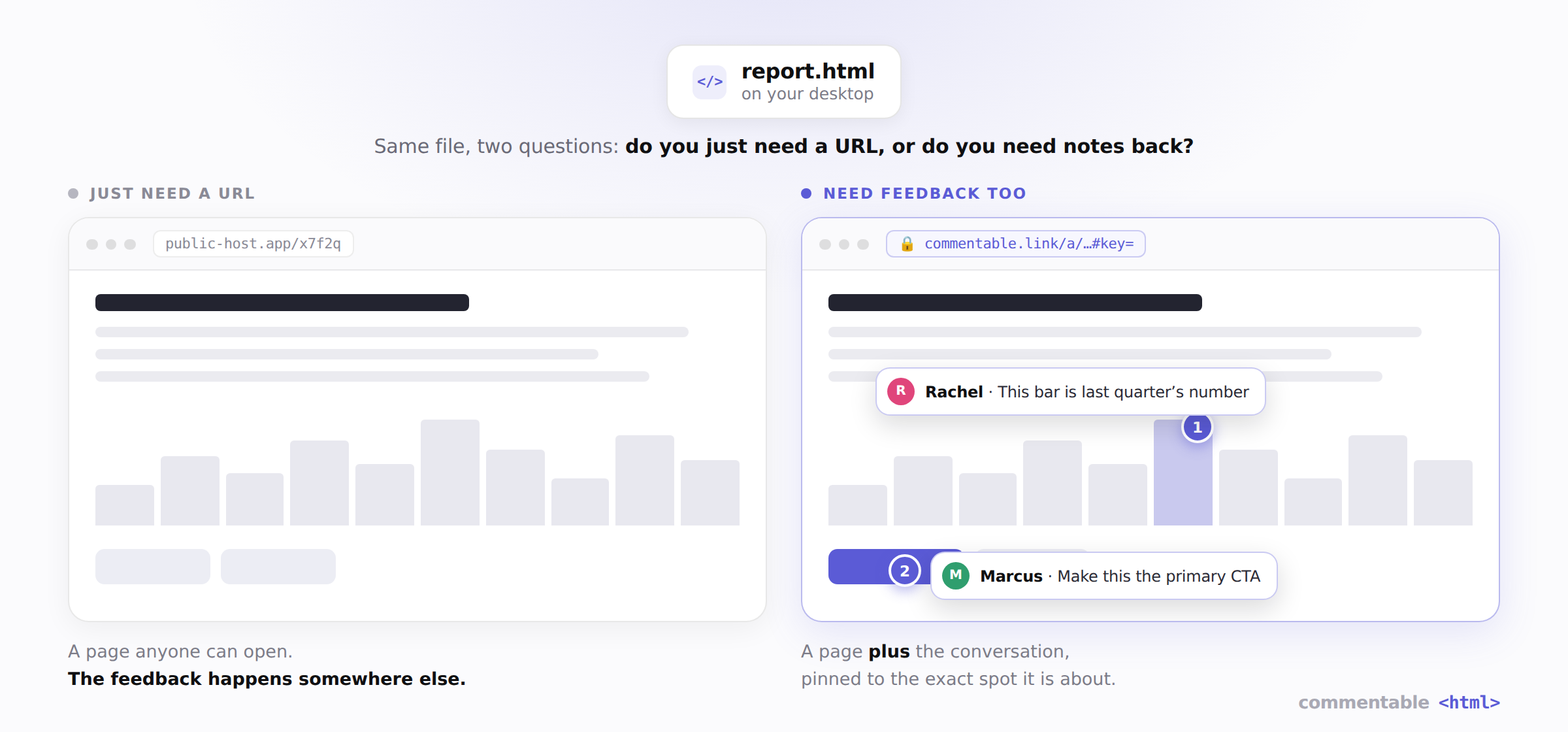
Same file, same thirty seconds of effort, two different things on the other end. The left path ends at a page. The right path ends at a conversation attached to a page.
What the second path actually looks like
Commentable exists for the feedback half specifically. You paste the HTML or drop the file, and you get a private link. Whoever opens it sees the real page, fully interactive, and can click any element on it to pin a comment right there. No account, no install, no access request.
You can try that without signing up for anything, on a real page: open the pricing-offer example, click something on it, and leave a comment. It behaves exactly like a link you would send a client.
The pin anchors to the element, not to a screenshot or an x/y coordinate, so when you change the page the note stays attached to the version it was made on and remains readable in the version history. And when you ship a revision you update the same link rather than sending a new one, which means nobody is ever reviewing the wrong copy.
Privacy is the other half of the question
The quick-share hosts store your page as a plain file they can read, on a URL that is public to anyone who has it. For a marketing demo, who cares. For a client deliverable, an internal dashboard, or an unreleased design, that is a durable liability you have to remember to clean up.
Commentable encrypts the page in your browser before it is uploaded. The decryption key lives in the fragment of the link, the part after the #, which browsers never send to a server. So the key never reaches us and we cannot read your page, even if we wanted to. You can add a password and an expiry on top of that.
The related question people ask about AI output specifically, since that is where most of these files come from now, is whether the built-in share buttons are private. Short answer for Claude: no, and Google has indexed them.
What it costs
Free gives you 3 fully branded links that stay live 7 days, with your name and logo on them, and unlimited comments from anyone you send them to. Pro makes links unlimited and permanent, puts them on your own domain, and removes the badge, at $7.99/mo or $72/yr. Full breakdown on the pricing page.
The short version
- Just need a link, page is public anyway → Netlify Drop, Vercel, Cloudflare Pages, Tiiny. Do not overthink it.
- Need notes back, or the content is not public → a link built for review, with the feedback pinned to the page and the page encrypted.
If you are about to send the file to a client, a stakeholder, or anyone whose reply you will have to act on, the second one saves you a round trip on the first day and every day after.